
Find pictures on your school website you may not have the right to use
Every picture on your school website and in its documents, reverse-searched for stock library matches. Check a short list before a claim letter arrives.
Free check, then from £75 a year. Card or invoice.
Why it matters
- School business managers and office managers
- A copyright claim letter arriving with a bill. Schools have paid hundreds or thousands of pounds to settle these claims. What to do if a claim letter arrives
- Network managers and website editors
- A fix list they can work through, with the exact page or document each picture is in.
- Trust central teams
- Every school's website at once, one invoice. School Checkup for trusts
What School Checkup does
Pictures you might not have the right to use
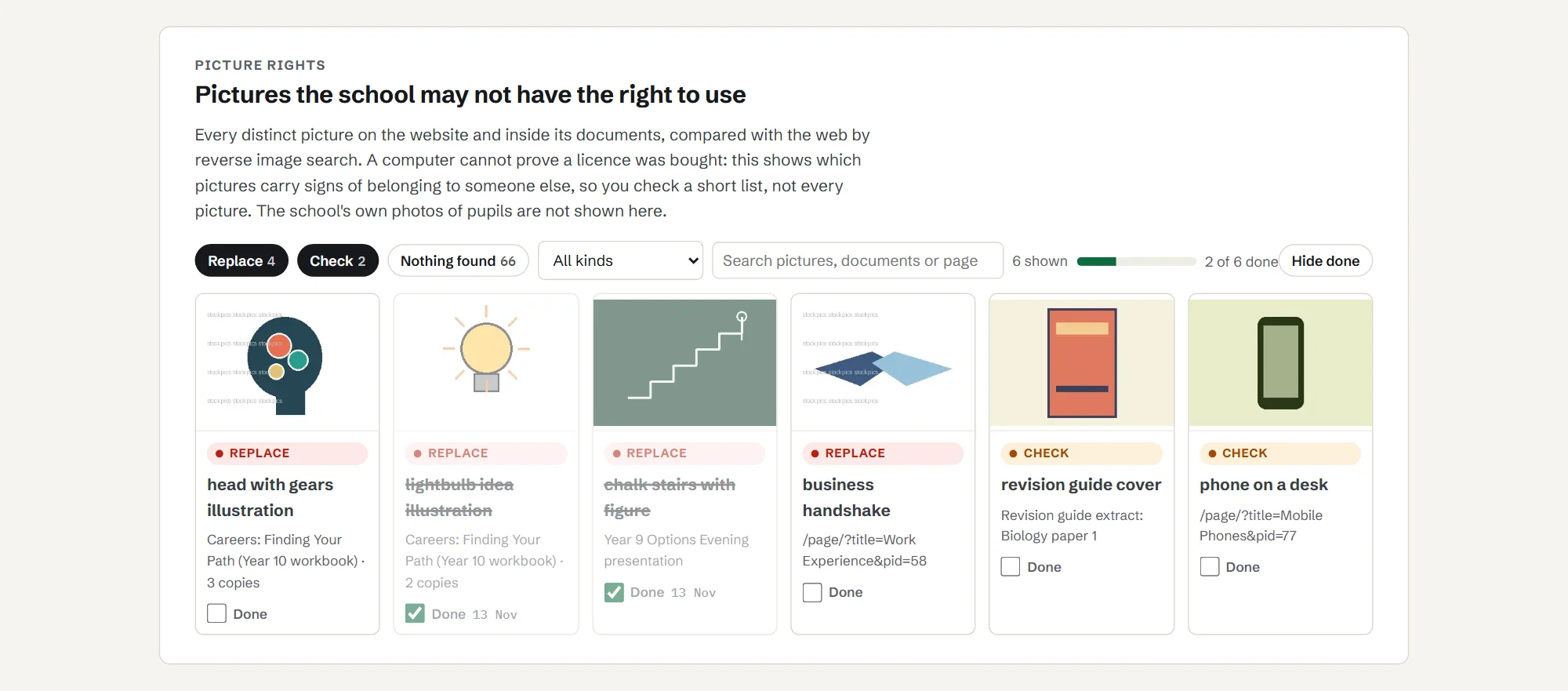
Most pictures on a school website are the school's own photos. A few are not: a stock photo copied into a careers presentation, clip art from a search engine, a book cover, a picture from a news site. Photo libraries use companies that search the web for their pictures and send the owner of the website a bill. Schools get these letters too, and a number have paid hundreds or thousands of pounds to settle a claim. Teaching licences that cover copying for lessons generally do not cover putting material on a public website. Had a letter already? Read what to do about a copyright claim letter.
School Checkup builds a register of every distinct picture on your pages and inside the documents your site hosts (PDF, Word and PowerPoint). For each one it records:
- what kind of picture it is (your own photo, a logo, clip art, a stock-style photo, a screenshot);
- whether the same picture is for sale on a stock library, found by a reverse image search;
- watermarks, credits and copyright notes inside the file;
- which document or page it is in.
The register is built once a year as part of Full Checkup, and you can order extra checks (£25 each), for example after a website redesign.
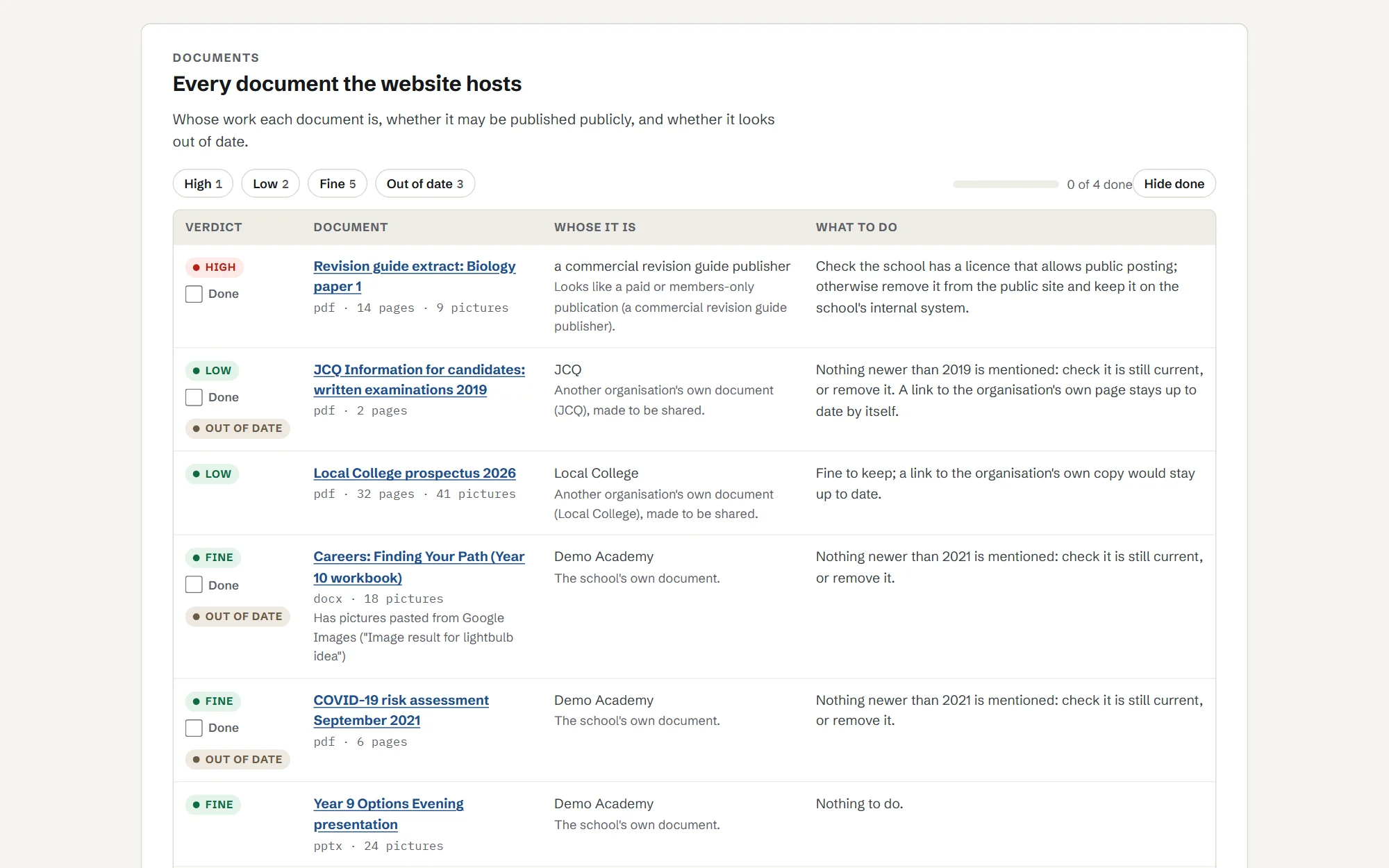
Each picture gets one of three labels: replace or remove, check, or nothing found. It also checks whole documents: is this the school's own document, an official one published for sharing, or someone else's work?
A computer cannot prove whether you bought a licence. School Checkup shows you which pictures carry signs of belonging to someone else, so you check a short list, not every picture.
Pictures are compared with the web through Google's image search, which does not keep them. We never keep your own photos of pupils: the register only holds pictures that are not the school's own.
What it picks up
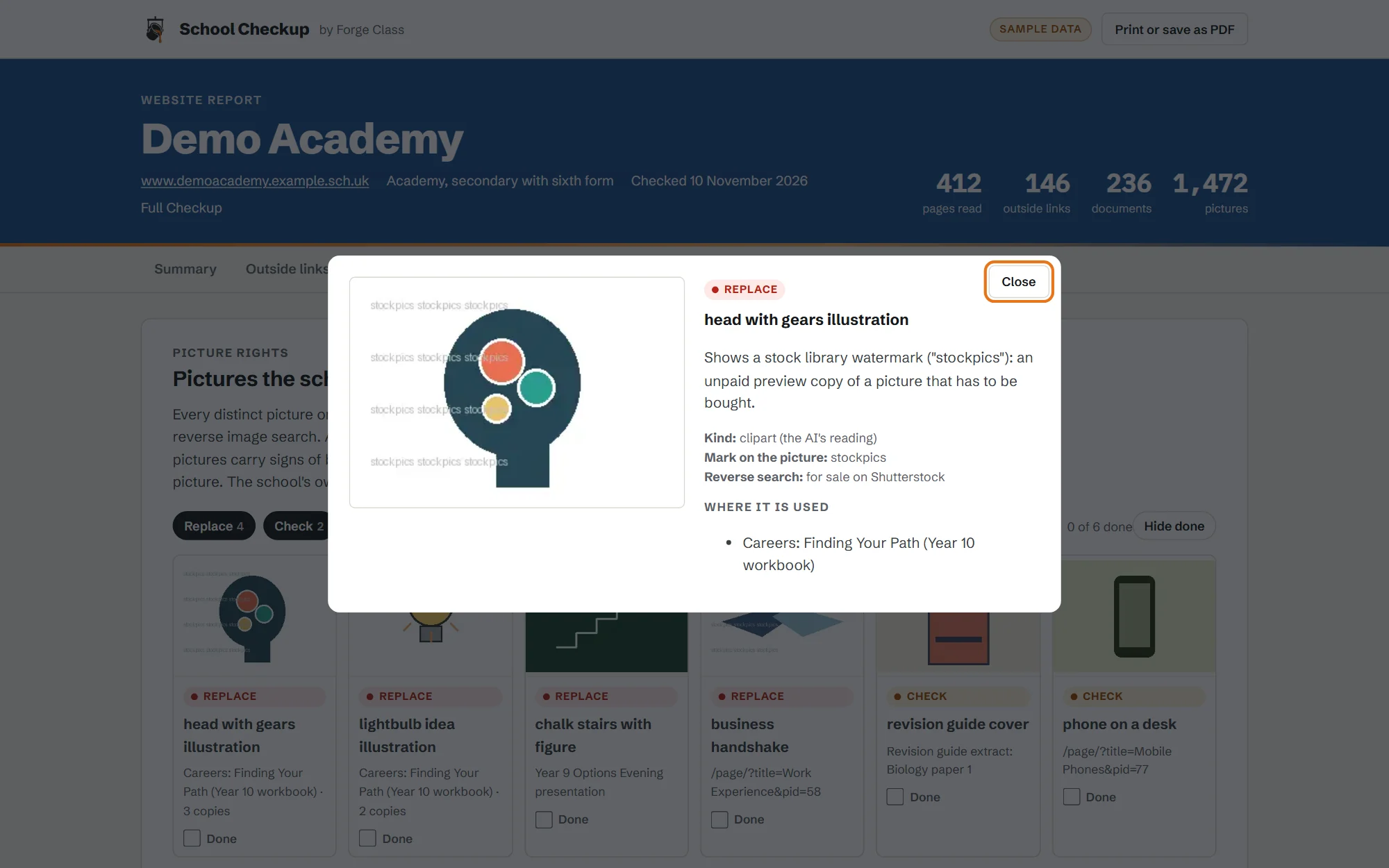
Real finds from one school website: the kind of thing that ends in a claim letter or a complaint.
- Stock photos inside old careers presentations, still for sale on picture libraries.
- Pictures taken from companies, inside knowledge organisers made by staff.
- Pictures copied from search results, with "Image result for..." still in the file.
- Documents years out of date, including a 2010 exam leaflet and a 2022 COVID risk assessment.
- pictures checked on one school website
- 3,191
- distinct pictures, every one reverse-searched
- 2,144
- for sale on stock libraries or carrying a stock watermark
- 28
- more worth a second look
- 111
- documents opened and read
- 265
- still carrying "Image result for..." text from pictures copied from search results
- 9
See a report
Click through a sample report for Demo Academy, a made-up school, or download the PDF a school would keep for governors. It shows all three checks.
Plans and prices
Start with a free check. Then Link Watch or Full Checkup, paid yearly.
Free check
£0
A headline for your site: how many outside links need attention, how many statutory items we could not find, and how many pictures name a stock library in their own files.
Link Watch
£95a year
Link safety in full, re-checked every month, an email the day a link turns bad, and a dated PDF each term for your safeguarding records.
Full Checkup
£195a year
Everything in Link Watch, plus website publishing (monthly, with reminders before dates that matter) and the picture rights register once a year. Extra picture checks are £25 each.
Primary schools
£75a year
Full Checkup, at a price for smaller sites.
Trusts (3 or more schools)
£75 Link Watch or £150 Full Checkup, per school a year. Primaries £65.
The same plans for every school in the trust, with one invoice and a trust view.
Paid plans open soon. Start with the free check now; we will email you when they do.
Forge Class is not VAT registered, so these are the full prices.
Pay by card or invoice. Purchase orders welcome.
What it cannot do
- It cannot prove a licence or permission. It tells you what to check.
- It cannot see pages behind a login, or content that only appears after clicking.
- It checks against the DfE lists as they stand; it does not give legal advice.
- New spam wording can slip past the term lists until it is added; anything odd is marked "check" rather than passed.
Questions
Can we use pictures from Google?
Not just because they appear in search results. Copyright in the UK is automatic, so a picture usually belongs to someone even with no watermark or notice. Use your own photos, pictures you have a licence for, or pictures whose licence allows your use, and keep a record of where each came from.
Does our copying licence cover our website?
Usually not. The DfE buys copyright licences for state-funded schools in England, and gov.uk says images copied under them are covered for use within the school, but not for sharing on a public facing website.
What should we do if we get a claim letter?
Do not ignore it and do not pay the same day. Check the letter is genuine, find the picture and where it came from, take it down and keep a record, and get advice from your trust, local authority or a solicitor before you reply. Our guide to claim letters goes through each step.
Do you check pictures inside PDFs and PowerPoints?
Yes, as part of Full Checkup. The register covers pictures on your pages and inside the documents your site hosts: PDF, Word and PowerPoint. The free check only counts pictures that name a stock library in their own address or description.
Do you keep photos of our pupils?
No. Photos that are the school's own are counted and then deleted; the register only shows pictures that are not yours. To find stock photos, pictures are compared with the web through Google's image search, which does not keep them.
Do you keep copies of our documents and pictures?
No. Each document and picture is read and then discarded. We keep the findings, and small thumbnails of pictures that are not your own photos so you can see which picture we mean.
Also in School Checkup
- 01
Link safety
Every outside link opened once, the way a pupil's browser would, with what the site used to be and what it is now.
More on link safety - 02
Website publishing
Each item on the DfE list for your type of school: found, not found, or out of date. Plus documents that no longer open or are years old.
More on website publishing
Find the pictures worth checking on your school website. The first check is free.