
Check your school website for unsafe links, missing statutory information and copyright risks
School Checkup checks a school's website the way a parent, an inspector and a pupil would see it: unsafe outside links, missing or out-of-date statutory information, and pictures the school may not have the right to use.
Free check, then from £75 a year. Card or invoice.
Running a trust? Check every school website in your trust, from £75 per school a year.
The three checks
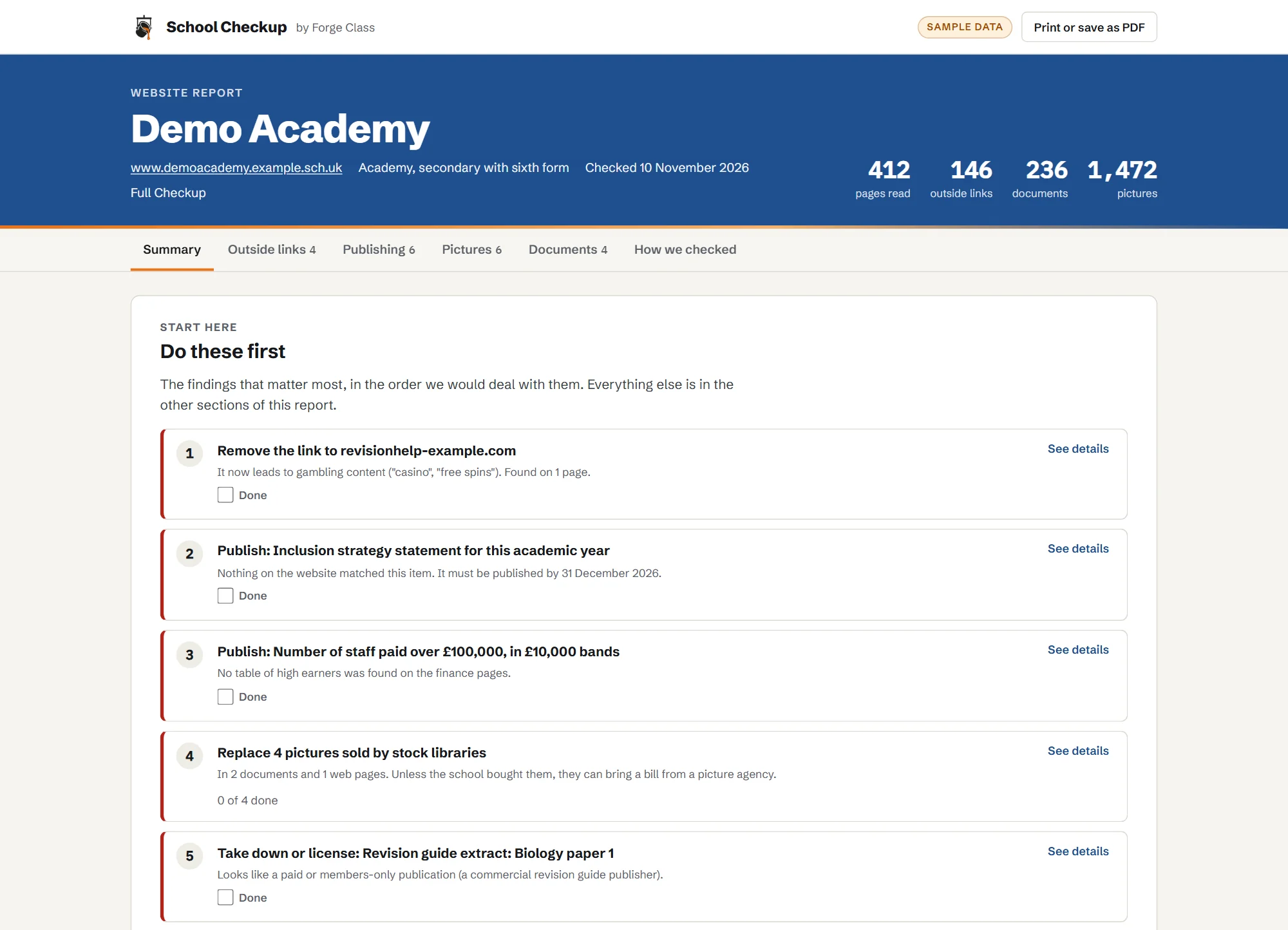
It reads your website the way a parent, an inspector and a pupil would. Then it tells you what to fix first.
- 01
Link safety
Every outside link opened once, the way a pupil's browser would, with what the site used to be and what it is now.
More on link safety - 02
Website publishing
Each item on the DfE list for your type of school: found, not found, or out of date. Plus documents that no longer open or are years old.
More on website publishing - 03
Picture rights
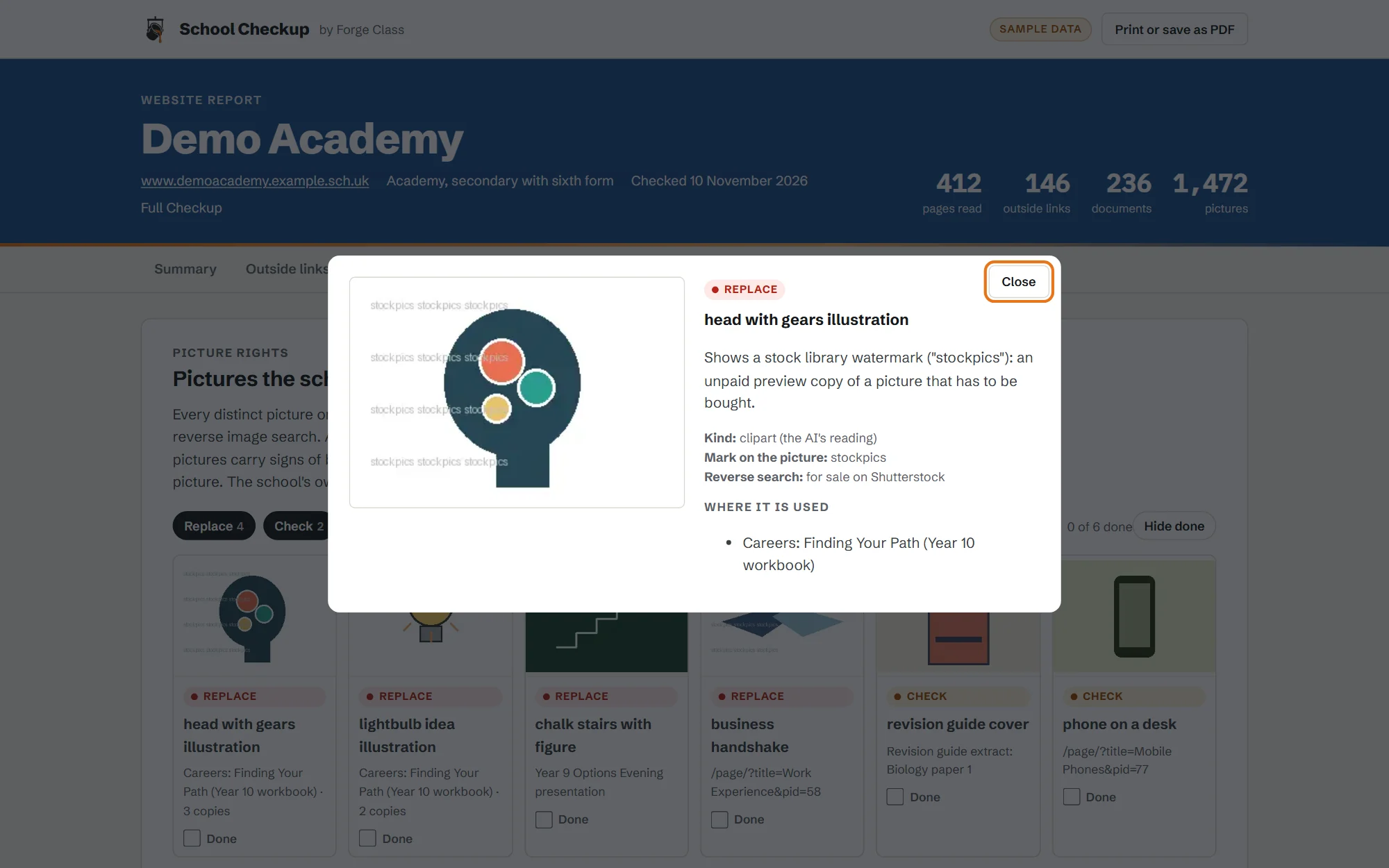
A register of every distinct picture on your pages and in your documents, with a reverse image search for stock library pictures.
More on picture rights

01Link safety
More on link safetyOld links that now lead somewhere they shouldn't
School websites collect links over many years: to charities, revision sites, councils and clubs. When one of those organisations closes or lets its web address lapse, someone else can buy the address. Some buyers keep the old name and put a casino, a pharmacy-spam shop or worse behind it. The link on your site still says “Revision help” or “Volunteering”.
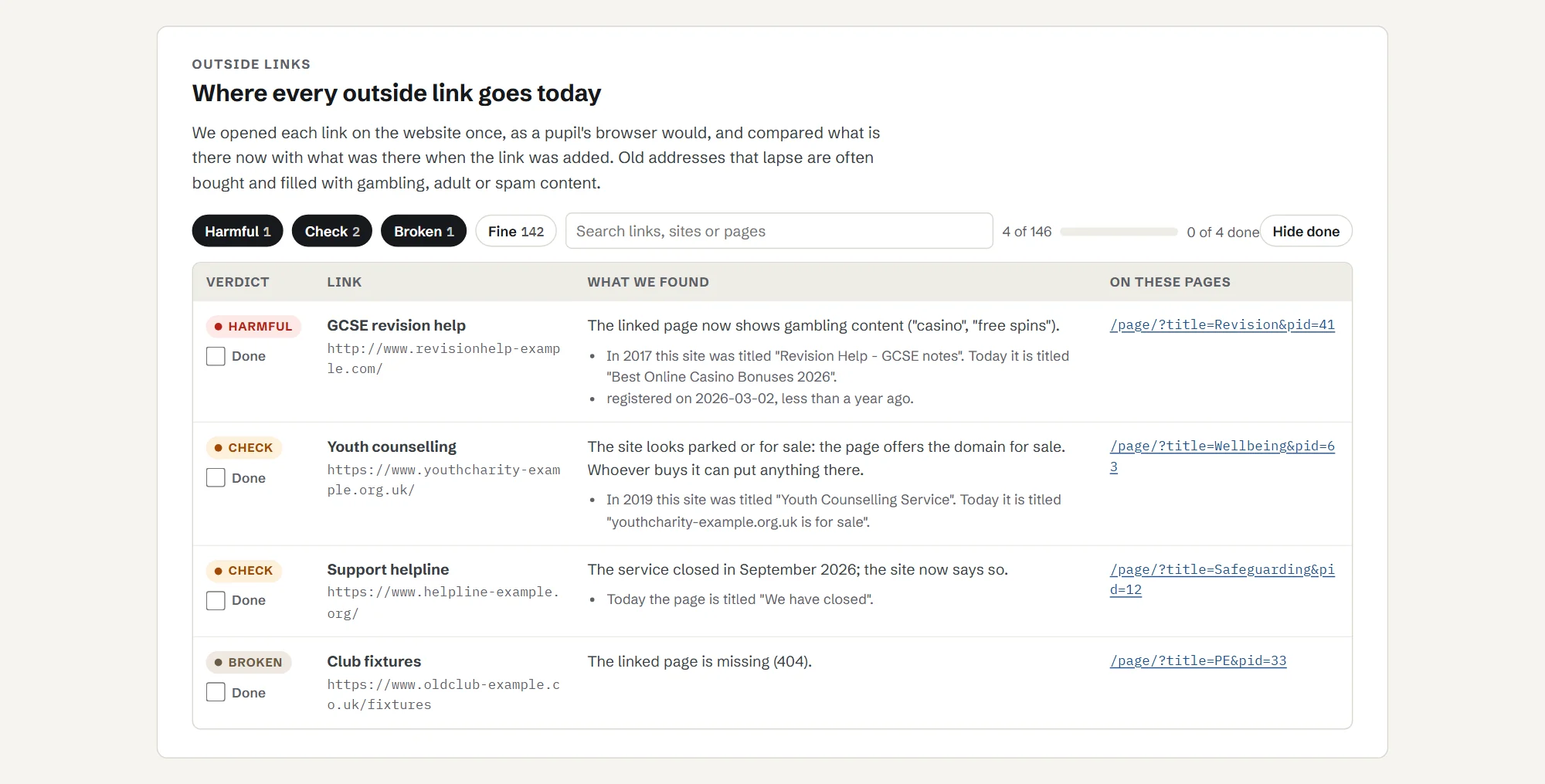
School Checkup opens every outside link on your site once, the way a pupil's browser would. It compares what the site is now with what it used to be, checks when the address was last registered, and flags:
- links that now lead to gambling, adult, pharmacy-spam or essay-writing sites;
- links to sites that are parked, for sale or have changed hands;
- broken links and links that redirect somewhere new.
Each flagged link shows the page it is on, the link text, what the site used to be and what it is now.
Real examples, as seen in 2026
Addresses that had been genuine, school-friendly sites and now are not. They are shown as text here, not links. This is what each address led to when we saw it in 2026; addresses can change hands again.
| Address | What it was | What it led to, as seen in 2026 |
|---|---|---|
| do-it.org | A volunteering site | Redirects to a casino site registered in March 2026 |
| harvardgenerator.com | A referencing generator | Pharmacy spam |
| sowieso.de | A German children's news site | A casino comparison site |
| rsrevision.com | An RS revision site | A casino |
02Website publishing
More on website publishingIs everything you must publish there, and up to date?
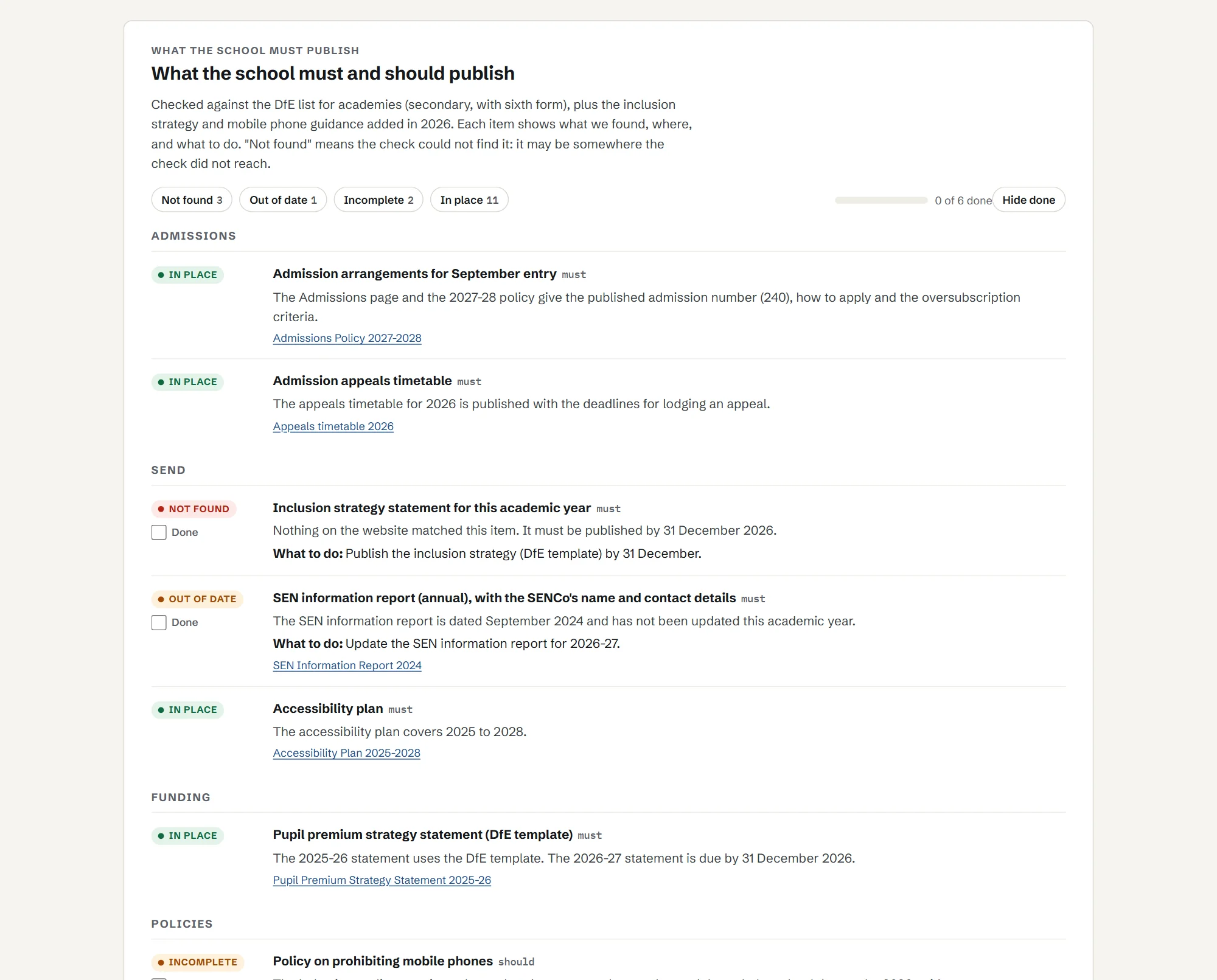
Schools must publish a long list of information online, and the list depends on the type of school. You tell School Checkup your school's type when you add it (maintained school, academy or free school, primary or secondary). It then looks for each item on the DfE list for that type: found, not found, or out of date. It also checks:
- documents that no longer open;
- documents that are years out of date (old exam notices, old risk assessments, last decade's leaflets);
- dates that matter, such as the pupil premium statement each year and equality objectives every four years;
- accessibility basics on your main pages, and whether you have an accessibility statement;
- newer items from outside the DfE lists: the mobile phone policy and the inclusion strategy statement.
The lists come from the DfE's own guidance: What maintained schools must publish online and What academies, free schools and colleges should publish online.
Want the list itself, in plain English? Read our guide to what schools must publish online, with what academies must publish and the dates that matter.
03Picture rights
More on picture rightsPictures you might not have the right to use
Most pictures on a school website are the school's own photos. A few are not: a stock photo copied into a careers presentation, clip art from a search engine, a book cover, a picture from a news site. Photo libraries use companies that search the web for their pictures and send the owner of the website a bill. Schools get these letters too, and a number have paid hundreds or thousands of pounds to settle a claim. Teaching licences that cover copying for lessons generally do not cover putting material on a public website. Had a letter already? Read what to do about a copyright claim letter.
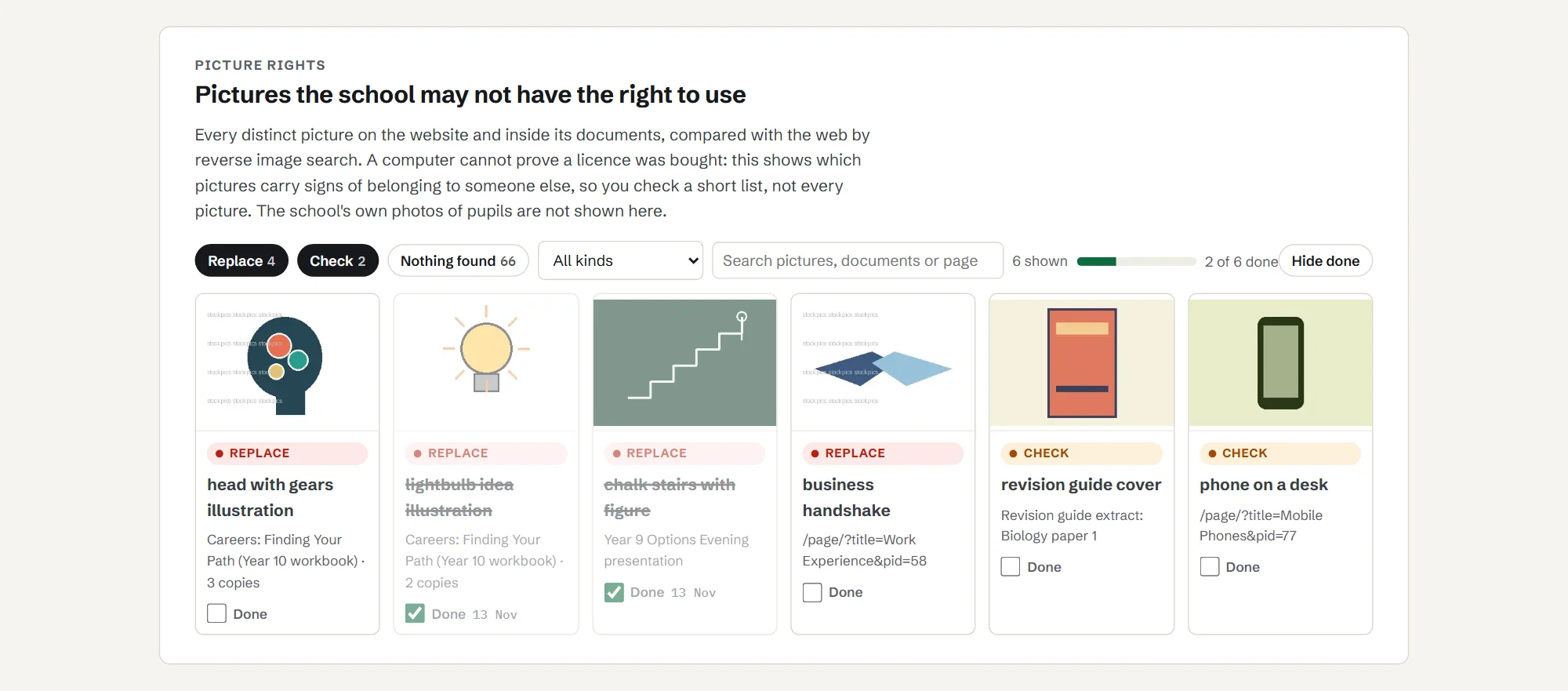
School Checkup builds a register of every distinct picture on your pages and inside the documents your site hosts (PDF, Word and PowerPoint). For each one it records:
- what kind of picture it is (your own photo, a logo, clip art, a stock-style photo, a screenshot);
- whether the same picture is for sale on a stock library, found by a reverse image search;
- watermarks, credits and copyright notes inside the file;
- which document or page it is in.
The register is built once a year as part of Full Checkup, and you can order extra checks (£25 each), for example after a website redesign.
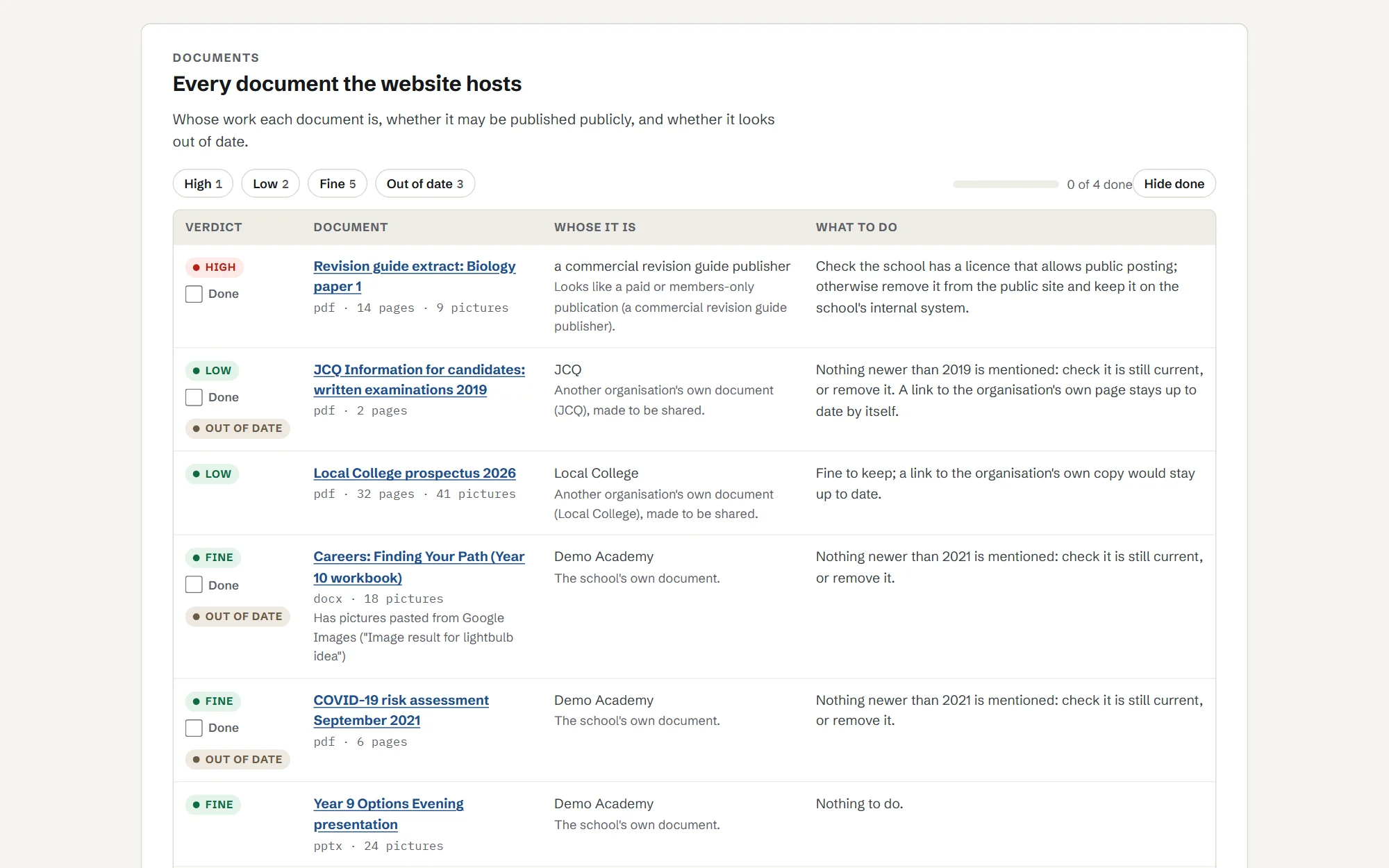
Each picture gets one of three labels: replace or remove, check, or nothing found. It also checks whole documents: is this the school's own document, an official one published for sharing, or someone else's work?
A computer cannot prove whether you bought a licence. School Checkup shows you which pictures carry signs of belonging to someone else, so you check a short list, not every picture.
Pictures are compared with the web through Google's image search, which does not keep them. We never keep your own photos of pupils: the register only holds pictures that are not the school's own.
What it picks up
Real finds from one school website: the kind of thing that ends in a claim letter or a complaint.
- Stock photos inside old careers presentations, still for sale on picture libraries.
- Pictures taken from companies, inside knowledge organisers made by staff.
- Pictures copied from search results, with "Image result for..." still in the file.
- Documents years out of date, including a 2010 exam leaflet and a 2022 COVID risk assessment.
- pictures checked on one school website
- 3,191
- distinct pictures, every one reverse-searched
- 2,144
- for sale on stock libraries or carrying a stock watermark
- 28
- more worth a second look
- 111
- documents opened and read
- 265
- still carrying "Image result for..." text from pictures copied from search results
- 9
How it works
- 01
Enter your school's website address and your work email.
- 02
School Checkup reads your site slowly, at the pace your website asks robots to use. On most school websites this takes a few hours, so we email you when it is ready.
- 03
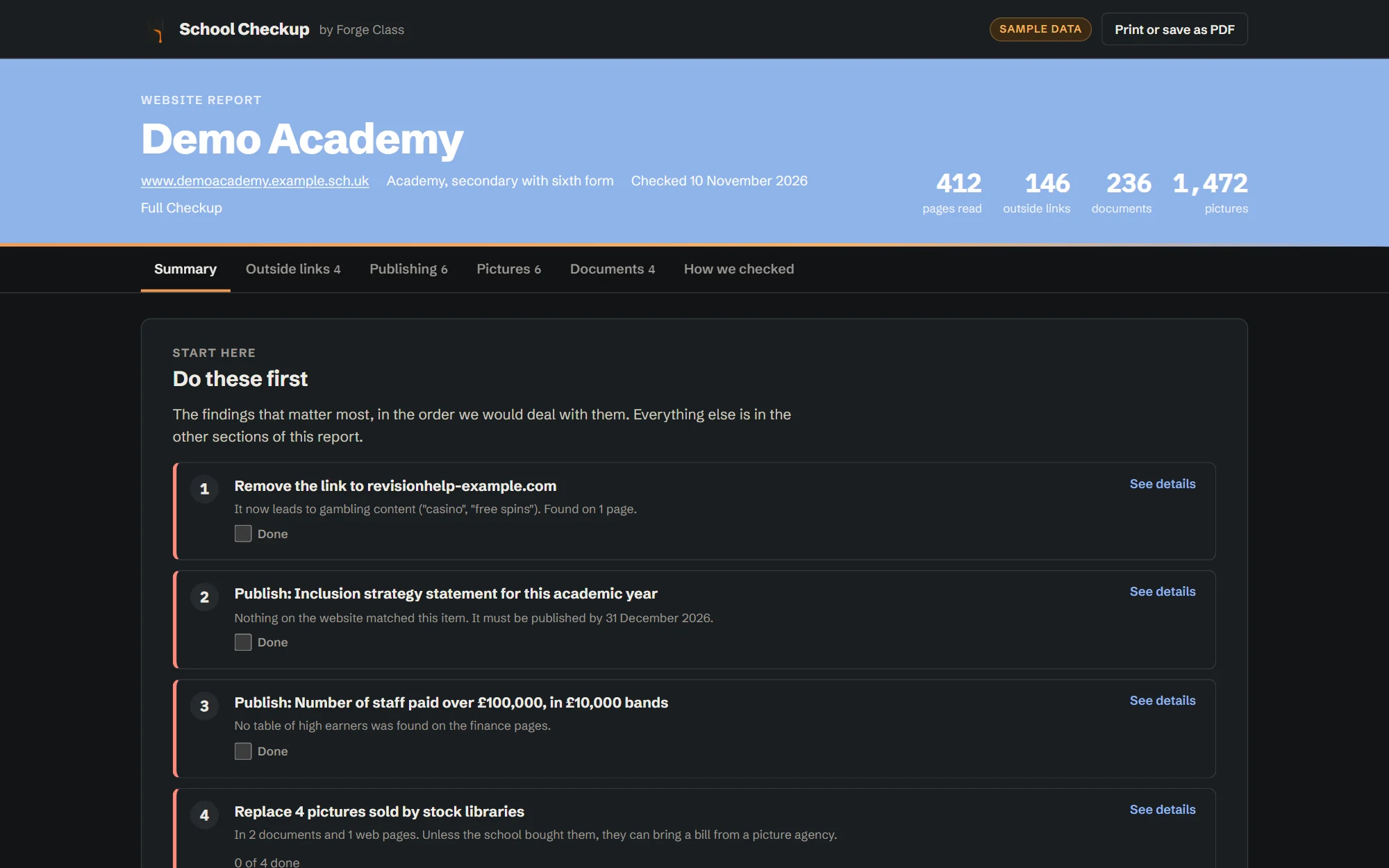
Sign in to your report. It starts with "Do these first", then each check in detail, with the evidence for every finding.
- 04
Work through it as a team. Tick items off as they are done, share a read-only link with governors or your website provider, and download a PDF for your records.
- 05
On a paid plan it checks again every month and emails you when something changes.
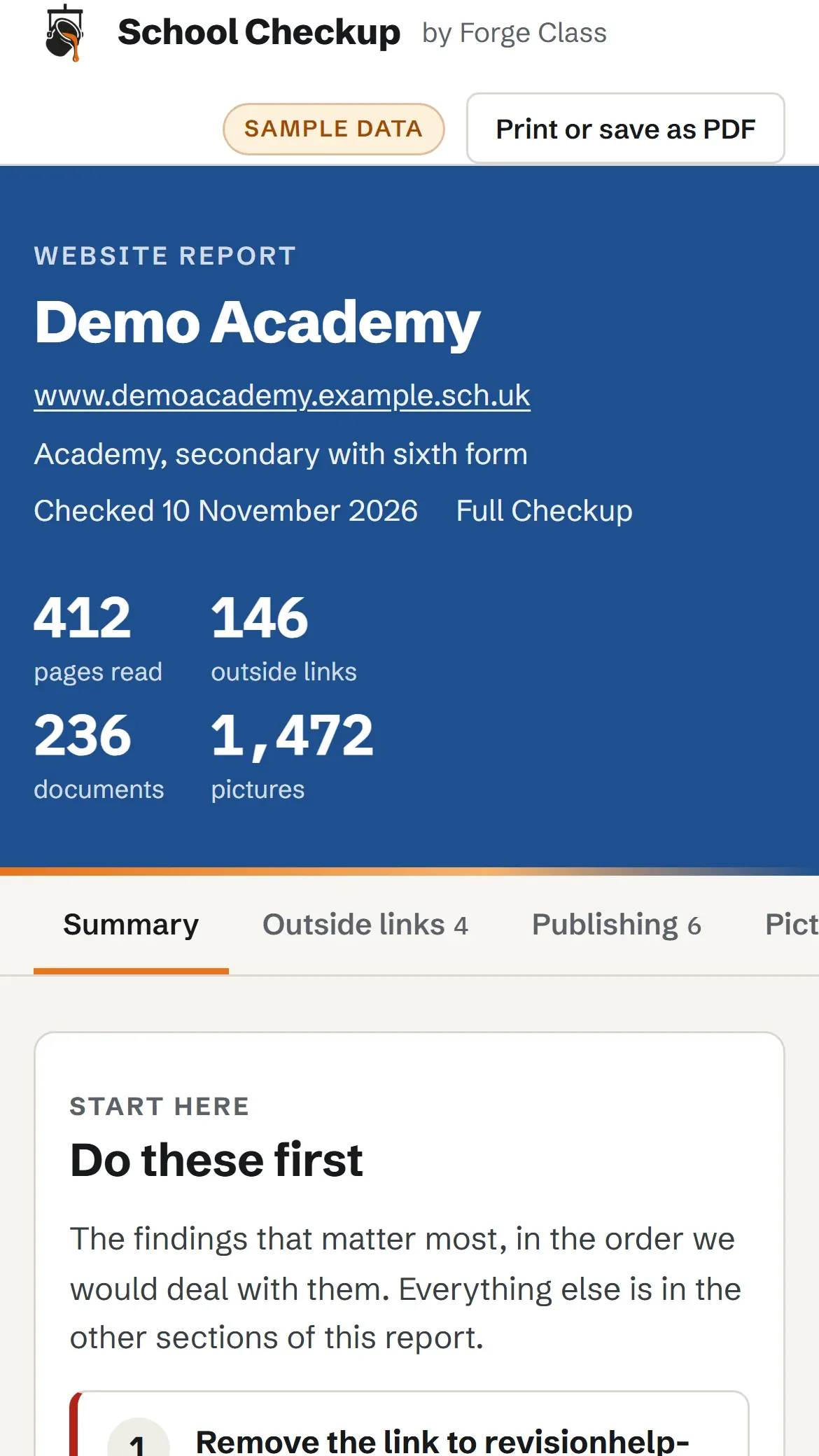
Work through it as a team
Tick items off as they are done; progress is saved for the whole team. Share a read-only link with governors or your website provider, and download a PDF for your records.
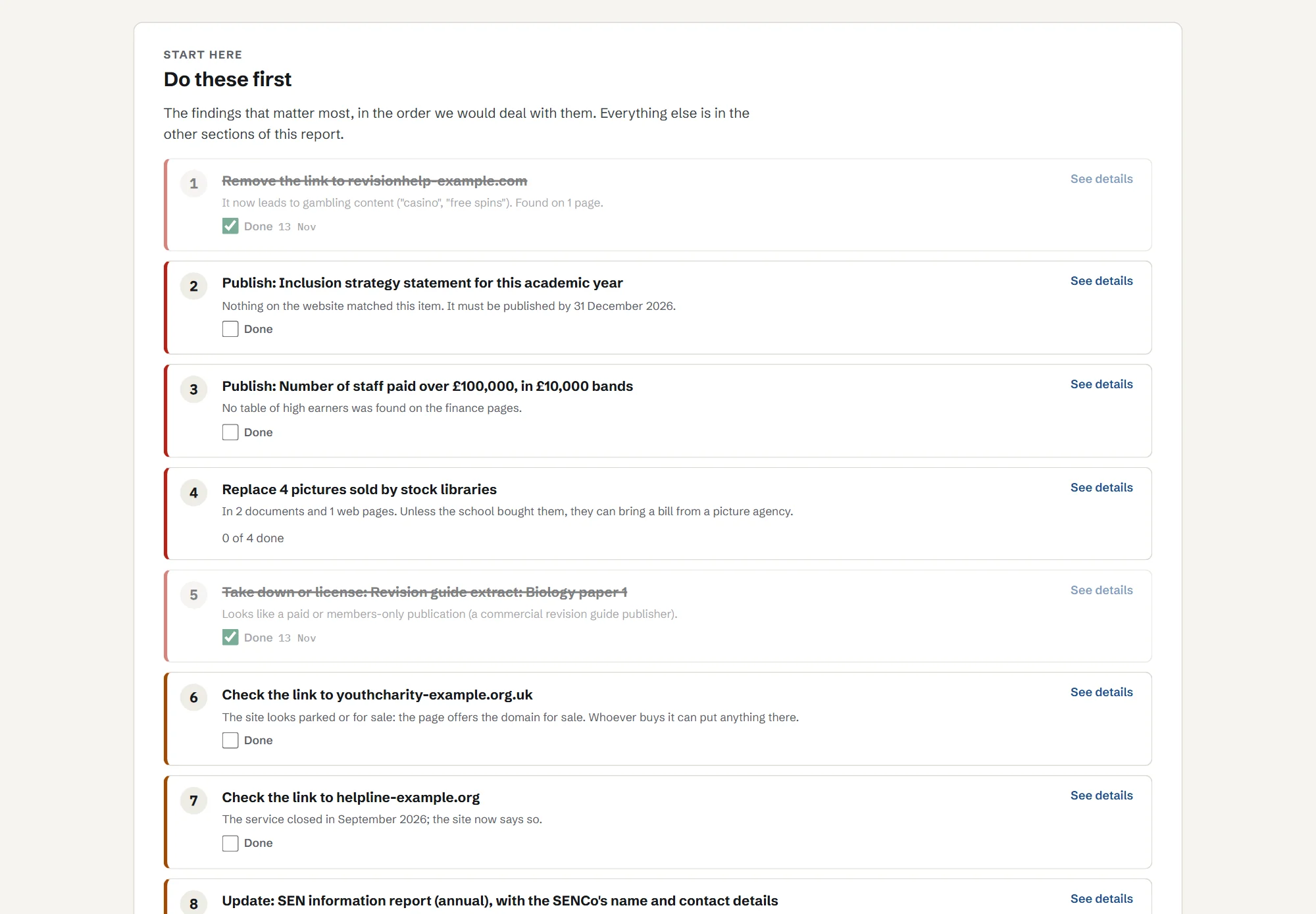
See a report
Click through a sample report for Demo Academy, a made-up school, or download the PDF a school would keep for governors.
Plans and prices
Start with a free check. Then Link Watch or Full Checkup, paid yearly.
Free check
£0
A headline for your site: how many outside links need attention, how many statutory items we could not find, and how many pictures name a stock library in their own files.
Link Watch
£95a year
Link safety in full, re-checked every month, an email the day a link turns bad, and a dated PDF each term for your safeguarding records.
Full Checkup
£195a year
Everything in Link Watch, plus website publishing (monthly, with reminders before dates that matter) and the picture rights register once a year. Extra picture checks are £25 each.
Primary schools
£75a year
Full Checkup, at a price for smaller sites.
Trusts (3 or more schools)
£75 Link Watch or £150 Full Checkup, per school a year. Primaries £65.
The same plans for every school in the trust, with one invoice and a trust view.
Paid plans open soon. Start with the free check now; we will email you when they do.
Forge Class is not VAT registered, so these are the full prices.
Pay by card or invoice. Purchase orders welcome.
What it cannot do
- It cannot prove a licence or permission. It tells you what to check.
- It cannot see pages behind a login, or content that only appears after clicking.
- It checks against the DfE lists as they stand; it does not give legal advice.
- New spam wording can slip past the term lists until it is added; anything odd is marked "check" rather than passed.
Who is behind it
Made in Sheffield by a teacher who builds software for schools.
School Checkup is made by Forge Class Software Ltd, Sheffield, run by Steve Benton, a Computer Science teacher and developer who also runs SubjectHub, used by schools across the UK. You deal with the person who built it.
- Company
- Forge Class Software Ltd, registered in England and Wales
- Company number
- 16547331
- Your results
- Stored in the UK (London), encrypted, kept 13 months
- Contact
- enquiries@forgeclass.co.uk
Questions
Will it slow down or break our website?
No. It reads one page at a time at the speed your website asks robots to use, identifies itself, and only reads public pages.
Do you change anything on our site?
No. It only reads. You get a list of fixes; you or your website provider make them.
Do you keep photos of our pupils?
No. Photos that are the school's own are counted and then deleted; the register only shows pictures that are not yours. To find stock photos, pictures are compared with the web through Google's image search, which does not keep them.
How is this different from our website provider's checks?
Website providers check that their platform works. School Checkup checks what is published on it: where every link goes now, whether each required item is there, and where your pictures came from.
We're a trust. Can we see every school at once?
Yes. Add every school to one account and see them in one list, each with its own report, on one invoice.
Does it cover Wales, Scotland or Northern Ireland?
The link and picture checks work anywhere. The publishing checklist follows the DfE lists for schools in England.
How do we get the results?
By email when the check finishes (just the headline numbers and a sign-in link), then in your own report online: a "do these first" list, each check in detail, tick boxes to mark things done, a print layout to save as a PDF, and a read-only link you can share with governors or your website provider.
Who can see our report?
Only people you add (up to five per school) and anyone you send a share link to. Share links are read-only, last 30 days and can be stopped at any time.
Where is our data kept, and for how long?
Results are stored in the UK (London) and encrypted. We keep each check for 13 months so you can compare one year with the next, then delete it. Close your account and everything is deleted within 30 days.
Do you keep copies of our documents and pictures?
No. Each document and picture is read and then discarded. We keep the findings, and small thumbnails of pictures that are not your own photos so you can see which picture we mean.
Who is behind it?
Forge Class Software Ltd, Sheffield, run by Steve Benton, a Computer Science teacher and developer who also runs SubjectHub, used by schools across the UK.
See what your school website links to today. The first check is free.